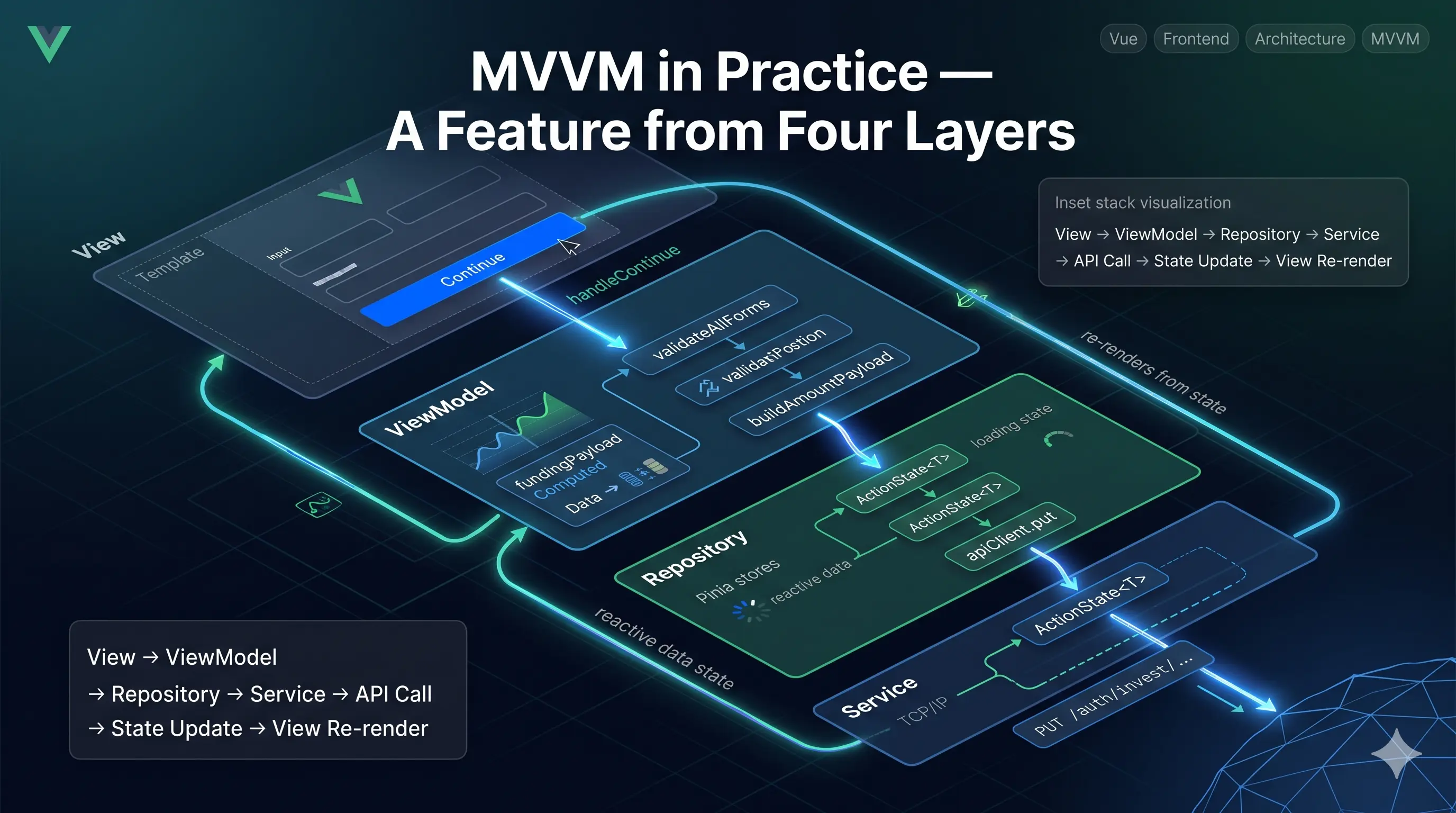
PWA - Install, Update, and Offline
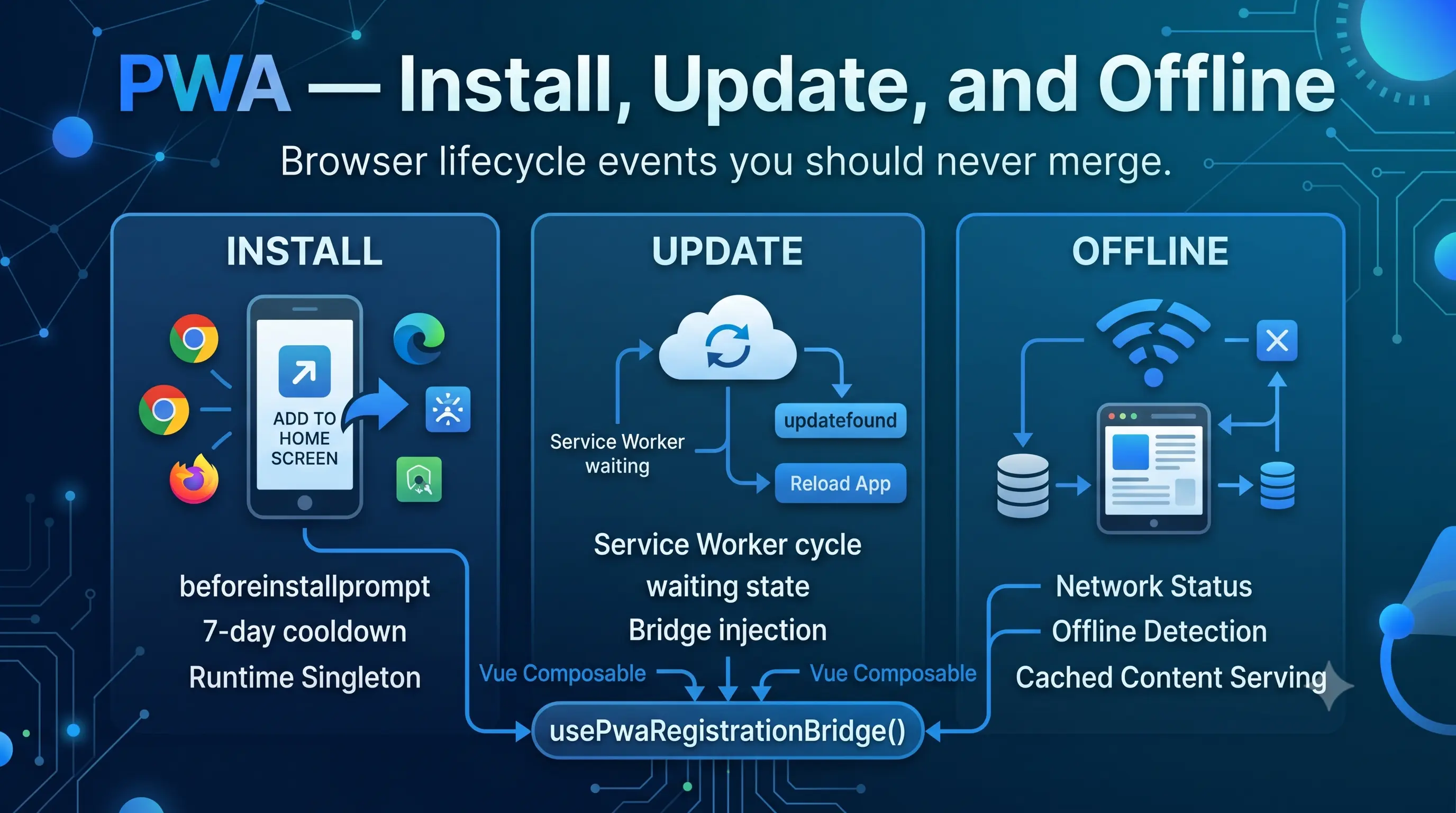
Every PWA tutorial puts install, update, and offline in the same section. They're all "PWA things." In the browser they share nothing: different APIs, different events, different lifecycles. Merging them into one composable produces a 600-line file that's impossible to test and breaks for reasons that are impossible to isolate.
This app separates them: usePwaInstallPrompt, usePwaUpdatePrompt, and useOfflineStatus. Each covers exactly one concern.
Install prompt
The browser fires beforeinstallprompt when it decides the app meets the installability criteria. You can't make it fire; you can only listen and defer it. If the user dismisses your install UI, the browser won't fire beforeinstallprompt again for a long time.
usePwaInstallPrompt captures the event and prevents the default mini-infobar:
const handleBeforeInstallPrompt = (event: Event) => {
  event.preventDefault();
  setDeferredPrompt(event as BeforeInstallPromptEvent, 'received beforeinstallprompt event');
};
installState is a computed with three possible values:
const installState = computed<InstallPromptState>(() => {
  if (installPromptRuntime.isInstalled.value || isDismissed.value) {
    return 'hidden';
  }

  if (
    installPromptRuntime.deferredPrompt.value
    && installPromptRuntime.isInstallPromptSupportedDevice.value
  ) {
    return 'native';
  }

  return (
    installPromptRuntime.isIosSafari.value
    && installPromptRuntime.isInstallPromptSupportedDevice.value
  ) ? 'manual-ios' : 'hidden';
});
'native' means there's a deferred prompt and you can call promptEvent.prompt(). 'manual-ios' means iOS Safari, which never fires beforeinstallprompt, so the user has to add to home screen manually and you show them instructions. 'hidden' means show nothing.
The View only reads two booleans:
const canInstall = computed(() => installState.value === 'native');
const showManualInstall = computed(() => installState.value === 'manual-ios');
The 7-day cooldown
If the user dismisses the prompt, don't show it again for seven days. The dismissed timestamp goes to localStorage:
const INSTALL_PROMPT_COOLDOWN_MS = 7 * 24 * 60 * 60 * 1000;

const isInstallPromptDismissedRecently = (dismissedAt: number) => (
  dismissedAt > 0 && (Date.now() - dismissedAt) < INSTALL_PROMPT_COOLDOWN_MS
);
Tabs share localStorage. If the user dismisses in one tab, it should hide in every other open tab too. A storage event listener handles this:
const handleDismissedAtStorageChange = (event: StorageEvent) => {
  if (!shouldSyncDismissedAtFromStorage(event.key)) return;
  syncDismissedState();
};
When the tab becomes visible again, handleVisibilityChange re-syncs the full runtime state, including whether the app was installed in the background from another tab.
The runtime singleton
The event listeners are bound globally, not per component. The first component to call usePwaInstallPrompt sets up beforeinstallprompt, appinstalled, storage, and visibilitychange. A reference count tracks how many consumers are alive:
const retainWindowListeners = () => {
  installPromptRuntime.consumerCount += 1;
  bindWindowListeners();
};

const releaseWindowListeners = () => {
  installPromptRuntime.consumerCount = Math.max(0, installPromptRuntime.consumerCount - 1);
  if (installPromptRuntime.consumerCount === 0) {
    unbindWindowListeners();
  }
};
onMounted calls retain, onBeforeUnmount calls release. When the last consumer unmounts, the listeners are cleaned up.
beforeinstallprompt fires only once. The deferred prompt has to survive across multiple component mounts, which is why it lives in the module-level installPromptRuntime object rather than inside the composable function. If it were a local ref, the second component to call usePwaInstallPrompt would start with no prompt and never get one.
Update prompt
usePwaUpdatePrompt is the UI layer for the service worker update cycle. A new service worker finishes installing, enters the waiting state, and sits there until the old one releases its clients. This composable detects that and surfaces a "reload to update" prompt.
It doesn't touch the service worker registration directly. It uses usePwaRegistrationBridge():
const bridge = shallowRef<PwaRegistrationBridge | null>(null);

const initializeBridge = () => {
  bridge.value = usePwaRegistrationBridge();
};
PwaRegistrationBridge exposes two refs and one action:
interface PwaRegistrationBridge {
  needRefresh: Ref<boolean>;
  offlineReady: Ref<boolean>;
  updateServiceWorker: (reloadPage?: boolean) => Promise<void>;
}
needRefresh is true when there's a waiting service worker and an active controller: an update is available. offlineReady is true when a new service worker installed for the first time with no previous controller: the cache is ready for offline use, but there's nothing to reload.
lifecycleState collapses both into a single UI signal:
const lifecycleState = computed<PwaUpdateLifecycleState>(() => {
  if (registrationError.value) return 'registrationError';
  if (isReloading.value) return 'reloading';
  if (isUpdateReady.value) return 'updateReady';
  if (isOfflineReady.value) return 'offlineReady';
  return 'idle';
});
When the user clicks "Update", reloadApp calls bridge.updateServiceWorker(), which sends SKIP_WAITING to the waiting service worker. Then it waits up to 2.5 seconds for a controllerchange event, confirmation the new worker took over. If takeover doesn't happen in time, the prompt stays visible so the user can retry.
Why the bridge
The browser's service worker registration API is not injectable. To test update prompt behavior without a real registered service worker, you need a seam.
usePwaRegistrationBridge() is that seam:
let pwaRegistrationBridgeFactory: PwaRegistrationBridgeFactory | null = null;

export const setPwaRegistrationBridgeFactory = (factory) => {
  pwaRegistrationBridgeFactory = factory;
};

export const usePwaRegistrationBridge = () => {
  if (pwaRegistrationBridgeFactory) {
    return pwaRegistrationBridgeFactory(); // injected path
  }
  return createBrowserPwaRegistrationBridge(); // production path
};
In tests, setPwaRegistrationBridgeFactory installs a factory that returns a plain object with shallowRef fields and no-op functions. Set needRefresh.value = true and the update prompt appears immediately. No service workers, no browser APIs, no vi.stubGlobal.
The same pattern from the MVVM testing article: a seam is a place where you can substitute a behavior without modifying production code.
Offline status
useOfflineStatus is the simplest of the three. It tracks two things:
const isOnline = shallowRef(true);
const hasServiceWorkerController = shallowRef(false);

const isOffline = computed(() => !isOnline.value);
const isShowingCachedContent = computed(() => isOffline.value && hasServiceWorkerController.value);
isShowingCachedContent is the one that matters. Being offline doesn't mean the app is broken. If a service worker controller is present, the app is serving cached assets and the user can still navigate. The UI should say "you're offline, but the app is available," not show an error screen.
When the device comes back online, handleOnline sets a 4-second flag:
const handleOnline = () => {
  const wasOffline = !isOnline.value;
  syncStatus();

  if (!wasOffline) return;

  isReconnected.value = true;
  reconnectTimeoutId = window.setTimeout(() => {
    isReconnected.value = false;
  }, 4000);
};
Four seconds is enough to show a "you're back online" toast. handleOffline cancels any reconnect state immediately: if the connection drops again during the reconnect window, the toast goes away.
Making it testable
Two patterns cover the main testing surfaces.
Bridge injection for the update prompt: setPwaRegistrationBridgeFactory lets tests control service worker state without real service workers. Every test that checks update prompt behavior uses this.
Custom window events for install prompt and update prompt: In local dev and on test hosts, custom events stand in for browser-native events:
const PWA_TEST_BEFORE_INSTALL_PROMPT_EVENT = 'invest:pwa-test:before-install-prompt';

const handleTestBeforeInstallPrompt = (event: Event) => {
  if (!isLocalPwaTestEnabled()) return;

  const customEvent = event as CustomEvent<{ outcome?: InstallPromptOutcome }>;
  const outcome = customEvent.detail?.outcome ?? 'accepted';

  setDeferredPrompt({
    prompt: async () => {},
    userChoice: Promise.resolve({ outcome, platform: 'web' }),
  } as BeforeInstallPromptEvent, 'received local test install prompt event', { outcome });
};
Fire invest:pwa-test:before-install-prompt with { detail: { outcome: 'accepted' } } and the install prompt appears as if the browser fired it natively. Fire invest:pwa-test:update-ready and the update prompt appears. Test mode is gated on a query param and host check so it never activates in production.
Where AI helped
The service worker lifecycle has a lot of edge cases: installing worker, waiting worker, controller change, registration error, the race between navigator.serviceWorker.ready and updatefound. AI was useful for mapping out the state machine: given the possible service worker states and the events that trigger transitions, generate the handlers. The watchInstallingWorker and watchRegistration functions in the bridge started as AI output and were reviewed carefully against the MDN service worker docs. The lifecycle is documented; AI knows it.
The custom test event pattern AI suggested when asked "how do you test beforeinstallprompt handling without a real browser install prompt?" The specific implementation (gated on host check plus query param, separate event name per concern, typed CustomEvent<{ outcome }>) was worked out by hand.
Browser detection (isIosSafariBrowser, isInstallPromptSupportedDevice) was written by hand. Browser detection is the kind of code where AI confidently generates stale user-agent checks or misses a platform. For something that gates real UI on a real user's real device, reading MDN and testing on actual hardware beats trusting generated sniffs.